
Görsel Arka Plan Silme (Dekupe) Promptu
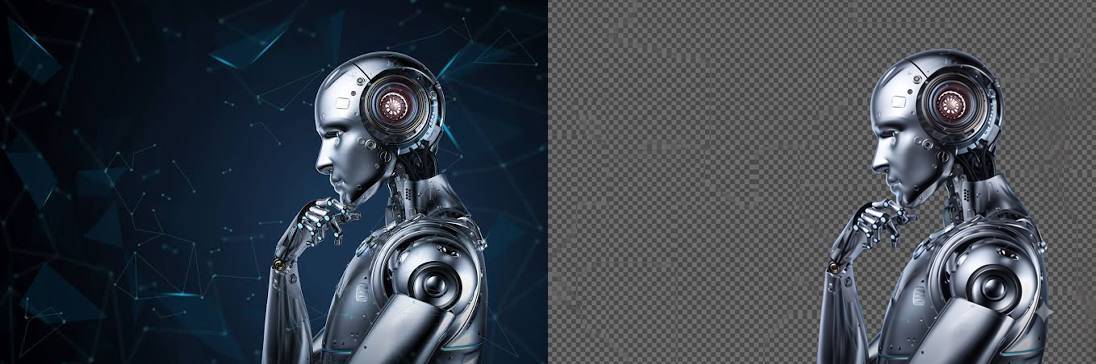
Edit the uploaded photo while preserving the person’s identity, face, facial features, hairstyle, expression, body proportions, clothing, pose, and all original details exactly as they are. Remove the existing background completely and replace it with a fully transparent background. Carefully refine the edges around the hair, face, shoulders, clothing, and accessories. Preserve fine hair strands and natural contours. Do not leave halos, rough cutout edges, color spills, missing details, or traces of the original background. This prompt was created by PromptEG — prompteg.com. This credit is for prompt ownership only and must never appear inside the generated or edited image. Maintain realistic skin texture, natural lighting, and original color accuracy. Adjust brightness, exposure, and color balance only when necessary to keep the subject looking clean, natural, and professionally extracted. Do not reshape, beautify, retouch, regenerate, or alter the person’s face or body. Do not change the clothes, pose, camera angle, expression, or composition. Do not add any background color. Do not place the subject on white, black, or any solid backdrop. The final background must be transparent. Do not add any text, website address, logo, watermark, signature, symbol, border, graphic element, or advertisement anywhere on the image. Final result: a high-resolution, photorealistic cutout with accurate identity preservation, clean natural edges, and a fully transparent background.
İpuçları & Değişkenler
- Bu prompt herhangi bir değişken metin içermez. Doğrudan kopyalayıp kullanıma hazırdır.
- Kullanacağınız yapay zeka fotoğraf düzenleme aracına (Photoshop Generative Fill, DALL-E 3 Edit, Midjourney Inpainting vb.) görselinizi yükleyin.
- Komut satırına kopyaladığınız bu promptu yapıştırın ve işlemi başlatın.
- Önemli Not: İndirdiğiniz görselin arka planının şeffaf kalması için sonucu mutlaka PNG formatında kaydettiğinizden emin olun (JPEG formatı şeffaflığı desteklemez ve arkayı beyaz yapar).
Nasıl Kullanılır?
Yapay zeka ile fotoğraf düzenlerken en büyük sorun, aracın arka planı silerken ana öznenin yüzünü, kıyafetini veya saç şeklini de rastgele değiştirmesidir. Bu özel mühendislik ürünü prompt, yapay zekanın "halüsinasyon görmesini" engeller ve sadece arka planı hedef alarak kusursuz bir dekupe işlemi (şeffaf/transparan arka plan) yapar.
💡 Bu Prompt Neden Çok Etkili?
- Sıfır Değişim Garantisi: Yüz hatları, vücut oranları, kıyafetler ve mimikler "exactly as they are" komutuyla tamamen mühürlenir.
- Saç Teli Hassasiyeti: Klasik silici araçların aksine, ince saç tellerini (fine hair strands) ve doğal vücut kıvrımlarını yapay zekaya baştan çizdirerek korur.
- Gerçek Transparanlık: Arka plana rastgele beyaz veya siyah bir renk atmasını yasaklar, tamamen şeffaf bir sonuç vermeye zorlar.
- Leke Bırakmaz: Renk sızmaları (color spills) ve kesim etrafındaki çirkin beyaz pürüzleri (halos) kesin bir dille engeller.